
Agent Browser
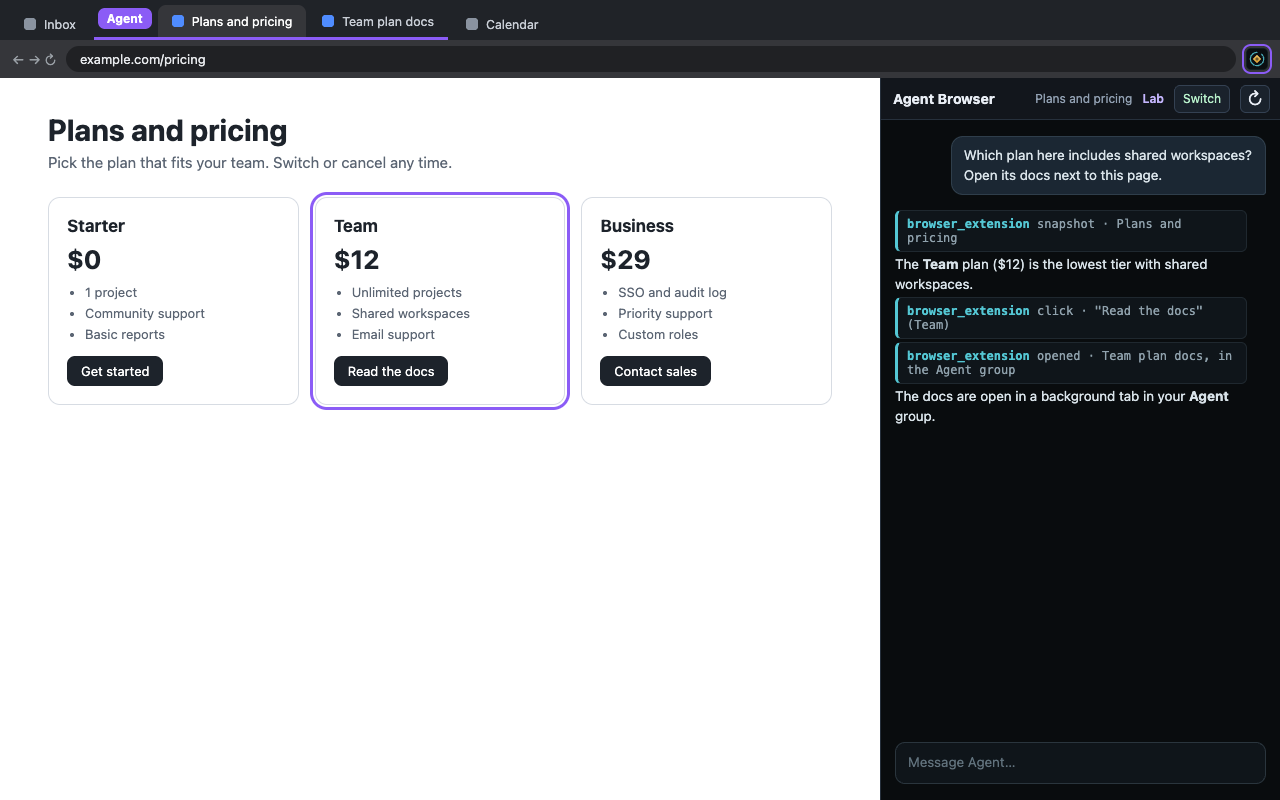
Agent Browser opens Agent Harness in Chrome's native side panel, next to the website you are working on. Click the toolbar icon (or press Alt+Shift+A): the panel opens and the window's active website joins a purple Agent tab group. That group is the agent's working area; tabs in other windows are never reachable.
Inside the group your agent can read pages, navigate, click, type, select and scroll, and it can run several browser tasks in parallel, one per tab, without ever taking focus. Every action reports only what changed on the page.
Agent Browser is a client for an Agent Harness deployment: on first open it asks which deployment to connect to, and you sign in with your existing account. It does nothing until you pick a deployment and sign in.
Support
Questions or problems: schalk.dormehl@gmail.com
Privacy
Read the privacy policy.